Automation: A Beginner’s Guide for Teachers, Bloggers, and Businesses
Discover how automation reduces repetitive work, improves consistency, and gives you more time for teaching, writing, research, and business growth.
Automation means using technology to complete repeatable tasks with little or no manual effort. For teachers, bloggers, academic writers, and small businesses, it can handle routine work such as publishing content, organizing files, sending emails, collecting data, and scheduling social-media posts.
Automation is not about replacing human creativity or professional judgment. Instead, it removes time-consuming tasks so you can focus on meaningful work: teaching students, creating original content, serving clients, and making better decisions.
Quick definition: Automation is a system in which a trigger starts one or more actions automatically. For example, when you publish a blog post, an automation can create a social-media caption, save the post link in a spreadsheet, and notify your audience.
What Is Automation?
Automation uses rules, software, integrations, and sometimes artificial intelligence to complete tasks automatically. A simple automation follows an “if this, then that” logic:
When an event happens → perform a defined action.
- When a student submits a Google Form, save the response in Google Sheets.
- When a new blog post is published, share it on Facebook, LinkedIn, or X.
- When a client completes a form, send a welcome email and create a folder in Google Drive.
- When a new keyword appears in a spreadsheet, generate an outline for a future article.
These systems can be built with tools such as n8n, Zapier, Make, Google Apps Script, Google Workspace, email marketing platforms, and AI assistants.
How Automation Works
Most automation workflows have four core parts. Understanding these parts makes it easier to plan useful systems instead of automating tasks randomly.
| Workflow Part | Meaning | Example for a Blogger |
|---|---|---|
| Trigger | The event that starts the workflow | A new post is published on Blogger |
| Action | The task performed automatically | Create a social-media caption |
| Condition | A rule that decides what happens next | Only share posts with the label “AI” |
| Output | The finished result | Post link saved in a content-tracking sheet |
Example workflow: A teacher publishes a lesson-resource article. The workflow automatically adds the post title and URL to a Google Sheet, drafts three social-media captions, sends the draft to the teacher for approval, and schedules the approved caption for publication.
Why Automation Matters
Many professionals lose valuable hours every week to repeated administrative tasks. Automation helps create consistent processes, reduce avoidable errors, and make work easier to scale.
- Save time: Reduce manual copying, pasting, uploading, and repeated data entry.
- Improve consistency: Follow the same publishing, email, and file-management process each time.
- Reduce errors: Minimize missed steps in recurring workflows.
- Support growth: Manage more students, blog posts, leads, or clients without increasing workload at the same rate.
- Improve focus: Spend more time on high-value activities that require human insight and creativity.
Automation for Teachers
Teachers can use automation to manage repetitive academic and administrative work while keeping teaching personal and student-focused. The most useful starting point is usually a workflow that already involves repeated forms, files, messages, or spreadsheets.
Practical Uses for Educators
- Collect assignment submissions using Google Forms and organize responses automatically.
- Create student feedback templates for common writing or assignment issues.
- Send reminders for deadlines, tests, classes, or learning resources.
- Generate first-draft quizzes from lesson topics, then review and improve them manually.
- Store learning materials in structured Google Drive folders.
- Turn a completed lecture into a blog outline, newsletter draft, or social-media post.
Human review is essential when automating assessment, feedback, and student communication. Automation should support fairness and efficiency, not replace teacher judgment.
Automation for Bloggers
Bloggers can automate their content pipeline from topic planning to promotion and performance tracking. A well-designed workflow helps you publish consistently without turning your blog into low-quality, fully automated content.
Useful Blog Automation Tasks
- Save keyword ideas and article topics in a content calendar.
- Generate content outlines from approved keyword clusters.
- Create initial meta-title and meta-description suggestions.
- Send a published-post link to your email newsletter workflow.
- Create social-media drafts for each new post.
- Track published URLs, target keywords, publication dates, and content updates in Google Sheets.
- Create reminders to refresh articles every six or twelve months.
SEO reminder: Use automation to organize research, improve workflow speed, and prepare drafts. Before publishing, add your own expertise, examples, fact-checking, internal links, and original perspective.
Automation and Artificial Intelligence
Automation and AI are related, but they are not the same. Traditional automation follows fixed rules. AI can analyze information, generate text, classify content, summarize documents, or make suggestions based on patterns.
| Traditional Automation | AI-Powered Automation |
|---|---|
| Follows fixed instructions | Can generate, classify, summarize, or suggest |
| Example: Send an email after form submission | Example: Draft a personalized response from form data |
| Best for predictable repetitive tasks | Best for content, analysis, and language-based tasks with human review |
| Requires defined rules | Requires strong prompts, verification, and quality control |
The strongest approach combines both. For example, an n8n workflow can collect a new keyword from Google Sheets, send it to an AI tool for an outline, save the result in Google Drive, and notify you by email to review it.
Start With One Small Workflow
Do not try to automate your entire teaching, blogging, or business operation at once. Start with one task that is repetitive, clear, and low-risk.
- List repeated tasks: Note the tasks you perform every day or every week.
- Choose one bottleneck: Select a task that takes time but does not require complex human judgment.
- Map the workflow: Identify the trigger, actions, conditions, and desired output.
- Build a simple version: Use n8n, Google Apps Script, Zapier, or Make.
- Test before trusting it: Check outputs for errors, missing data, and inappropriate messages.
- Review and improve: Measure whether it actually saves time and improves quality.
Beginner automation checklist:
- Choose one repetitive task.
- Define the trigger clearly.
- Decide exactly what result you want.
- Use secure accounts and avoid exposing confidential data.
- Keep a manual review step for important content or decisions.
- Document the workflow so you can maintain it later.
Common Automation Mistakes
- Automating a broken process: First simplify the task; then automate it.
- Removing human review: Check content, sensitive messages, grades, financial data, and client communication.
- Using poor-quality inputs: Bad data produces unreliable results, even in an advanced workflow.
- Ignoring privacy: Do not send confidential student, customer, or financial data to tools without understanding their data policies.
- Over-automation: Keep personal communication and original thinking where they matter most.
Frequently Asked Questions
What is a simple example of automation?
A simple example is automatically saving Google Form responses into a Google Sheet and sending a confirmation email to the person who completed the form.
Can bloggers use automation for SEO?
Yes. Bloggers can automate keyword organization, content calendars, metadata drafts, performance reports, social-media drafts, and article-refresh reminders. The final post should still be reviewed and improved by a human writer.
What tools are best for automation beginners?
n8n, Zapier, Make, Google Apps Script, Google Sheets, Google Drive, and Google Forms are common starting tools. Choose based on your technical comfort, budget, and the platforms you already use.
Does automation replace teachers or writers?
No. Automation can manage routine tasks, but teaching, critical thinking, creativity, ethics, context, and meaningful communication still require human expertise.
Start Automating Your Work
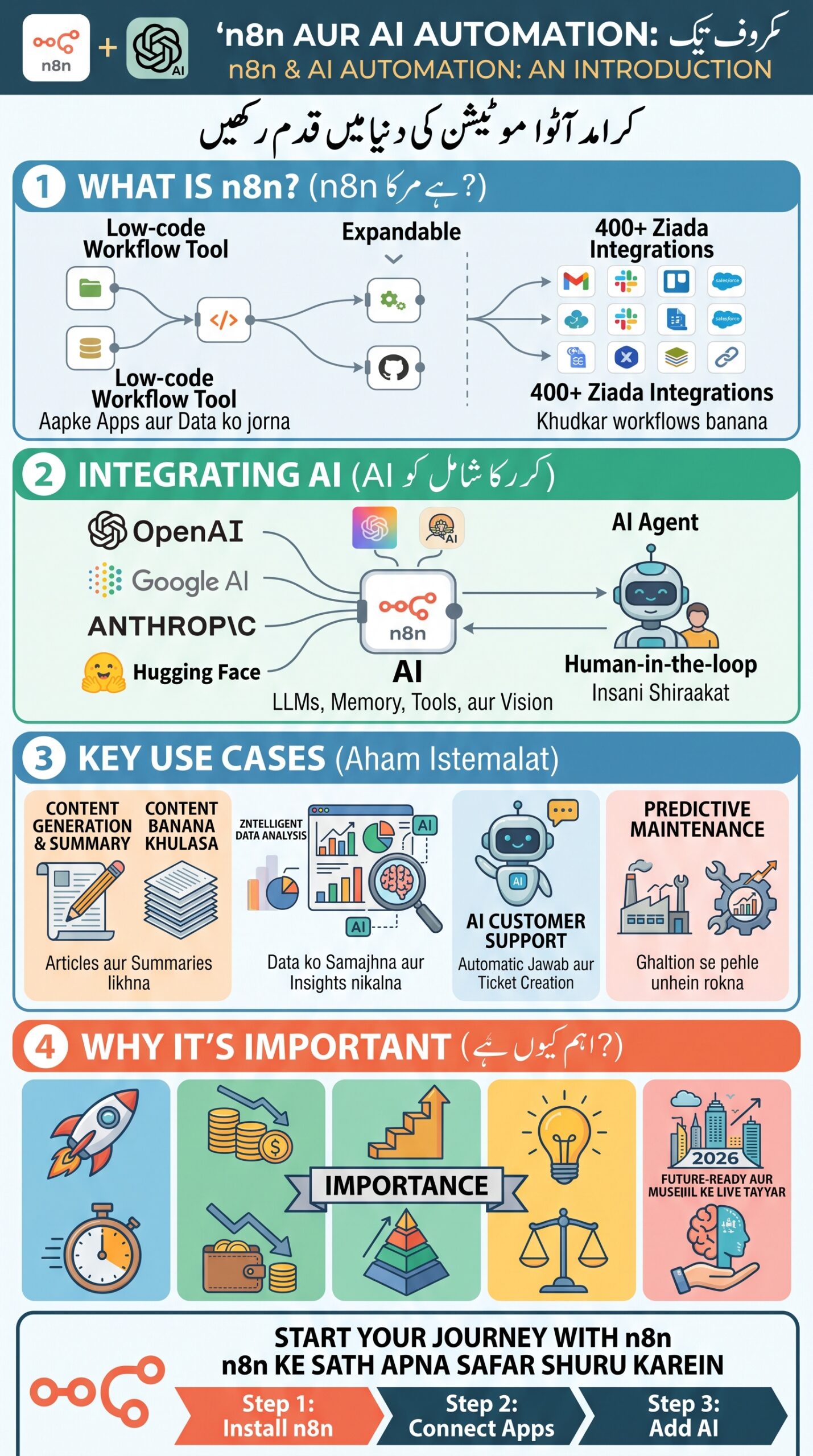
Begin with one small workflow this week: automate your content ideas, post-publishing checklist, student form responses, or email follow-up process. Small, reliable systems create meaningful long-term time savings.