
AI tools have moved far beyond simple chatbots.
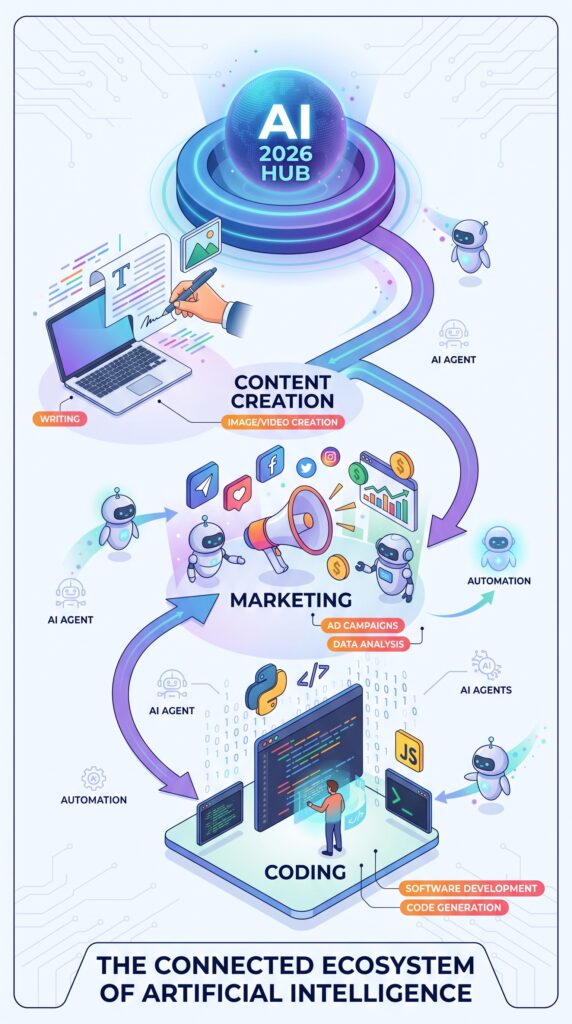
In 2026, creators are using AI to turn ideas into articles, images, videos, podcasts, and social posts. Marketers are using AI to research audiences, create campaigns, personalize content, automate workflows, and analyze performance. Developers are using AI inside their editors and repositories to write, debug, refactor, test, review, and even delegate parts of development work to coding agents.
The difficult part is no longer finding an AI tool.
The difficult part is finding the right AI tool for the job.
There are now hundreds of AI applications competing for attention, and many overlap. One tool may be excellent at writing but weak at research. Another may create impressive images but offer limited workflow integration. A coding assistant may generate code quickly but still require careful human review.
This guide cuts through that noise.
Below are the best AI tools for content creation, marketing, and coding in 2026, organized by what they actually help you accomplish—not simply by popularity.
Quick Answer: Best AI Tools in 2026
| Tool | Best For | Category | Free Option | Best Reason to Choose It |
|---|---|---|---|---|
| ChatGPT | All-purpose AI work | Content / Marketing / Coding | Yes, depending on current plan | Extremely versatile |
| Claude | Writing, reasoning & coding | Content / Coding | Limited/free option | Strong long-form reasoning |
| Canva | Visual content | Content / Marketing | Yes | Easy design + AI features |
| Midjourney | AI images | Content | Paid-focused | High-quality creative visuals |
| Runway | AI video | Content | Limited | Generative video workflows |
| ElevenLabs | AI voice | Content | Limited | Voice generation and audio |
| Jasper | Marketing content | Marketing | Trial/paid options | Brand-focused marketing workflows |
| Copy.ai | Marketing workflows | Marketing | Plan-dependent | GTM and content workflows |
| Zapier | AI automation | Marketing | Free tier | Connects apps and automates workflows |
| Cursor | AI-assisted development | Coding | Plan-dependent | AI-first coding environment |
| GitHub Copilot | Developer productivity | Coding | Yes | IDE, GitHub and agent workflows |
| Claude Code | Agentic coding | Coding | Usage-dependent | Terminal-based coding agent |
| Replit | AI-assisted app building | Coding | Free option | Build and deploy from one platform |
Important: AI pricing and plan limits change frequently. Always verify current pricing before purchasing.
What Are AI Tools?
AI tools are software applications that use artificial intelligence to perform or assist with tasks such as generating text, creating images, producing videos, analyzing information, writing code, automating workflows, researching topics, or interacting with customers.
The most important change in 2026 is that AI tools are increasingly becoming workflow tools rather than simple generators.
Instead of asking:
“Can this AI write an article?”
A better question is:
“How much of my complete workflow can this tool help me manage?”
That distinction matters.
A content creator may need:
Research → outline → writing → images → video → editing → social posts → publishing
A marketer may need:
Research → strategy → campaign creation → email → advertising → automation → analytics
A developer may need:
Idea → planning → coding → debugging → testing → review → deployment
The best AI tool depends on where you have the biggest bottleneck.
Best AI Tools for Content Creation in 2026
1. ChatGPT — Best Overall AI Tool
ChatGPT remains one of the most versatile choices for content creators because it can assist with brainstorming, writing, editing, research-oriented tasks, file analysis, image-related tasks, and coding.
It is particularly useful when you need one tool to handle multiple stages of a content workflow rather than purchasing a separate application for every task.
Best for
- Blog posts
- Content ideas
- Outlines
- Social media posts
- Scripts
- Editing
- Brainstorming
- Research assistance
- Repurposing content
- General productivity
Pros
- Extremely broad range of uses
- Useful for both beginners and professionals
- Can work across different content formats
- Strong for iterative conversations
- Useful beyond content creation
Cons
- Output quality depends heavily on instructions and context
- AI-generated content still requires human review
- Some advanced capabilities depend on the user’s plan
Verdict
Best overall choice if you want one general-purpose AI assistant rather than a collection of specialized tools.
2. Claude — Best for Long-Form Writing and Reasoning
Claude is particularly attractive for users who work with long documents, detailed instructions, research material, editing, and complex reasoning.
It can be useful when your workflow involves taking a large amount of information and turning it into a coherent piece of writing.
Best for
- Long-form articles
- Editing
- Research synthesis
- Reports
- Technical writing
- Brainstorming
- Coding assistance
Best feature
Its ability to work through complex instructions and substantial amounts of contextual information makes it useful for serious knowledge work.
Limitation
It should not be treated as an automatic fact-checker. Important factual claims, statistics, citations, and current information still need verification.
Verdict
A strong alternative to ChatGPT for writers, researchers, professionals, and developers who prioritize reasoning and long-form work.
3. Canva — Best for Visual Content Creation
Canva is one of the easiest ways for non-designers to create professional-looking marketing and social media assets.
Its AI features extend the platform beyond traditional templates and make it possible to combine generation, editing, resizing, branding, and publishing-oriented design work.
Best for
- Social media graphics
- Presentations
- Infographics
- Blog graphics
- Thumbnails
- Marketing materials
- Posters
- Brand assets
Best for beginners?
Yes.
One of Canva’s biggest advantages is that you don’t need professional graphic-design skills to start creating useful visual content.
Limitation
Users looking for highly specialized image generation or professional creative control may prefer a dedicated image-generation platform.
Verdict
Best choice for creators and marketers who want AI-assisted design without a steep learning curve.
4. Midjourney — Best for AI-Generated Images
Midjourney is aimed more toward users who want visually impressive AI-generated artwork and creative imagery.
It can be particularly useful when stock photography cannot communicate the exact visual concept you need.
Best for
- Blog hero images
- Creative campaigns
- Concept art
- Social media visuals
- Advertising concepts
- Editorial illustrations
Limitation
Generating an attractive image is not the same as creating a complete marketing asset. You may still need Canva or another design application for typography, layout, branding, and final production.
Verdict
Best for high-impact creative imagery rather than complete content production.
5. Runway — Best for AI Video Creation
Video has become an increasingly important part of content marketing, and AI video tools can accelerate ideation, generation, editing, and visual experimentation.
Runway is particularly relevant for creators who want AI-assisted video production.
Best for
- Short-form videos
- Creative concepts
- Social media content
- Visual storytelling
- Marketing videos
- Experimental video generation
Limitation
AI-generated video can still require substantial editing and quality control, particularly when consistency, realism, branding, or precise storytelling matters.
Verdict
A strong choice for creators experimenting with AI-generated video and visual storytelling.
6. ElevenLabs — Best for AI Voice
Text-to-speech has become a major part of modern content production.
Voice AI can help creators produce:
- Narration
- Explainer videos
- Podcasts
- Educational content
- Audiobooks
- Social videos
- Voiceovers
The main advantage is speed.
Instead of recording every version manually, creators can produce and revise voice content much faster.
Important consideration
Voice technology also creates ethical and legal considerations. Do not use someone’s voice without appropriate permission.
Verdict
One of the most useful categories of AI tools for creators expanding from written content into audio and video.
Best AI Tools for Marketing in 2026
Marketing requires more than generating words.
A useful marketing AI stack needs to support strategy, research, content production, distribution, personalization, automation, and measurement.
7. Jasper — Best for Brand-Focused Marketing Content
Jasper is designed specifically around marketing content rather than being only a general-purpose chatbot.
This distinction matters for marketing teams that need consistency across:
- Blog content
- Ads
- Social media
- Campaigns
- Product messaging
- Brand voice
Best for
- Marketing teams
- Content teams
- Agencies
- Brand messaging
- Campaign production
Why use Jasper instead of a general chatbot?
The major reason is workflow specialization.
A general AI assistant may be able to write an advertisement.
A marketing-focused platform attempts to connect writing with broader brand and campaign workflows.
Limitation
If you only need occasional content generation, paying for a specialized marketing platform may not provide enough additional value over a general AI assistant.
Verdict
Best for teams producing marketing content consistently rather than occasional users.
8. Copy.ai — Best for Marketing Workflows
Copy.ai has moved beyond simple copy generation toward broader go-to-market and workflow use cases.
This makes it more interesting for teams that want to connect AI with repetitive marketing processes.
Best for
- Sales and marketing workflows
- Content creation
- Outreach
- Campaign processes
- Repurposing
- Go-to-market operations
Limitation
The value increases as your workflow becomes more complex. A solo creator who only needs captions may not need a specialized workflow platform.
Verdict
Best for marketing teams looking to automate repeatable processes rather than simply generate text.
9. Zapier — Best for AI Automation
Zapier is not primarily a writing or image-generation tool.
Its strength is connecting applications.
For example:
New form submission → AI analyzes request → creates task → sends notification → updates CRM
Or:
New blog article → generate social variations → send for approval → schedule posts
This is where AI becomes significantly more powerful.
Instead of simply asking an AI to do a task, you can build a workflow that triggers tasks automatically.
Best for
- Marketing automation
- Lead management
- Content workflows
- Notifications
- Repetitive tasks
- Connecting multiple AI tools
Verdict
One of the most valuable tools when your real problem is workflow automation rather than content generation.
10. HubSpot AI — Best for Marketing Operations
For businesses already using a CRM and marketing platform, AI integrated into the existing system can be more useful than adding another standalone AI application.
AI-assisted marketing workflows can support activities such as content creation, customer interactions, campaign work, and CRM-related processes.
Best for
- Marketing teams
- CRM users
- Lead generation
- Customer communications
- Campaign management
Limitation
The strongest value generally comes when the business already operates inside the wider platform ecosystem.
Verdict
Best for businesses that want AI integrated into their existing marketing and customer-data workflow.
Best AI Coding Tools in 2026
AI coding has changed significantly.
Modern coding assistants increasingly go beyond autocomplete.
They can understand repositories, suggest edits across files, explain code, generate tests, review changes, and—in some workflows—operate as agents that execute multi-step development tasks.
GitHub’s current Copilot offering, for example, includes IDE assistance, CLI functionality, agent workflows, code review, and integrations across GitHub and supported development environments.
11. Cursor — Best AI-First Code Editor
Cursor is an AI-focused code editor built around the idea that AI should be part of the development environment rather than a separate chat window.
Best for
- Web development
- Debugging
- Refactoring
- Multi-file projects
- AI-assisted application development
- Developers who want an AI-first editor
Why developers like the approach
Instead of repeatedly copying code into a chatbot, the AI can work with project context.
That makes it particularly useful for larger coding tasks.
Limitation
AI-generated changes still require developer review.
An AI agent can make a technically valid change that is nevertheless wrong for the project’s architecture, security model, or business requirements.
Verdict
One of the strongest choices for developers who want AI deeply integrated into their coding environment.
12. GitHub Copilot — Best for Mainstream Developer Workflows
GitHub Copilot has evolved from autocomplete into a broader AI development platform.
Its current feature set includes code completion, chat, agent mode, code review, CLI support, and workflows across GitHub and supported IDEs. (GitHub)
GitHub currently offers a Free tier as well as paid individual and business plans, with limits and AI-credit structures varying by plan. (GitHub)
Best for
- Professional developers
- GitHub users
- Teams
- IDE-based development
- Code review
- Repository workflows
Biggest advantage
GitHub integration.
If your development workflow already revolves around GitHub, Copilot can fit naturally into the environment you already use.
Verdict
Best all-around choice for developers who want AI integrated into the GitHub ecosystem.
13. Claude Code — Best for Agentic Coding
Claude Code represents a different approach to AI programming.
Rather than simply completing the next line of code, an AI coding agent can work through a broader task by inspecting files, reasoning about changes, editing code, and running commands under developer supervision.
This reflects the larger shift from:
AI autocomplete → AI coding assistant → AI coding agent
Best for
- Experienced developers
- Large coding tasks
- Repository-level work
- Refactoring
- Debugging
- Terminal-based workflows
Limitation
Agentic tools can make larger changes, which increases the importance of review, testing, version control, and security practices.
Verdict
Best for developers ready to move beyond autocomplete toward agent-assisted software development.
14. Replit — Best for Building Apps with AI Assistance
Replit is particularly interesting for people who want to move quickly from an idea to a working application.
It can be useful for:
- Prototypes
- Web applications
- Learning
- Experiments
- MVPs
- Small projects
Best for beginners?
Yes, particularly for users who understand what they want to build but don’t yet want to configure a complex local development environment.
Limitation
For sophisticated production systems, developers still need to understand architecture, security, testing, deployment, databases, and maintenance.
Verdict
Best for rapid prototyping and people who want a shorter path from idea to working application.
Best AI Tool by Use Case
| If You Need… | Consider |
|---|---|
| General AI assistance | ChatGPT |
| Long-form reasoning | Claude |
| Social graphics | Canva |
| AI-generated images | Midjourney |
| AI video | Runway |
| AI voice | ElevenLabs |
| Marketing content | Jasper |
| Marketing workflows | Copy.ai |
| Automation | Zapier |
| CRM-centered marketing | HubSpot |
| AI-first coding | Cursor |
| GitHub development | GitHub Copilot |
| Agentic coding | Claude Code |
| Rapid app prototyping | Replit |
Best Free AI Tools in 2026
“Free” is one of the most searched terms around AI tools, but it is also one of the most misunderstood.
There are at least four different models:
1. Completely free
The core service is available without payment.
2. Free tier
You can use the tool without paying, but usage is restricted.
3. Free trial
You can test premium features temporarily.
4. Freemium
Basic features are free while advanced capabilities require payment.
For example, GitHub currently offers a Copilot Free plan with limited usage, while paid plans provide substantially more capability. (GitHub)
The important lesson
Don’t choose an AI tool simply because it has a free plan.
Choose it because the free plan actually solves your problem.
Free vs Paid AI Tools: Is Paying Worth It?
For occasional users, free AI tools can be enough.
For professionals, the equation changes.
A paid tool can be worthwhile when it provides:
- Higher usage limits
- Better models
- Faster processing
- Advanced features
- Team collaboration
- Automation
- Better integrations
- Larger context
- Professional support
- More control
However, there is a common mistake:
Paying for five AI tools when two would do the job.
A better approach is to identify your biggest bottleneck first.
If writing takes most of your time, invest in writing.
If design is the bottleneck, invest in design.
If repetitive marketing tasks consume your time, invest in automation.
If coding is slowing development, invest in an AI coding environment.
Best AI Tools for Beginners
If you are new to AI, don’t start with ten applications.
Start with one general-purpose tool.
Recommended beginner stack
ChatGPT + Canva + one specialized tool
For example:
ChatGPT → Canva → Runway
could cover:
Idea → script → visual → video
For a developer:
ChatGPT/Claude → GitHub Copilot
may be enough to begin learning AI-assisted programming.
The goal is not to collect AI tools.
The goal is to build a useful workflow.
Best AI Tools for Professionals
Professionals usually benefit from specialized tools.
Content professional
ChatGPT or Claude + Canva + specialized video/audio tool
Marketing professional
General AI assistant + marketing platform + automation tool
Developer
AI coding environment + GitHub + testing/review workflow
Agency
General AI assistant + specialized production tools + automation
The more complex the workflow becomes, the more important integrations and automation become.
Best AI Tools for Small Businesses
Small businesses should prioritize:
- Ease of use
- Cost
- Automation
- Marketing
- Customer communication
- Design
- Scalability
A practical stack could look like:
ChatGPT + Canva + Zapier + CRM/marketing platform
The key is to avoid buying separate tools for every small task.
Best AI Tool Stacks
Beginner Content Creator
ChatGPT + Canva + CapCut/Runway
Use the tools for:
Research → script → visual → video → social post
Professional Content Creator
Claude/ChatGPT + Canva + Midjourney + Runway + ElevenLabs
Use this combination for:
Research → writing → images → video → narration
Marketing Stack
ChatGPT/Claude + Jasper/Copy.ai + Canva + Zapier + CRM
Use it for:
Strategy → content → creative → automation → customer workflow
Developer Stack
Cursor or GitHub Copilot + GitHub + testing tools
Use it for:
Planning → coding → debugging → testing → review → deployment
A Real-World AI Content Workflow
Imagine you want to publish an article about:
“Best AI Tools for Students.”
Instead of asking one chatbot to produce everything, create a workflow.
Step 1: Research
Identify search intent, questions, competitors, and relevant tools.
Step 2: Strategy
Create an outline based on what the reader actually wants.
Step 3: Draft
Use an AI writing assistant to create the first version.
Step 4: Human editing
Add your own expertise, examples, opinions, and corrections.
Step 5: Visuals
Create a featured image and supporting graphics.
Step 6: Repurpose
Turn the article into:
- LinkedIn posts
- X posts
- Instagram carousel
- Short video
- Newsletter
- Infographic
Step 7: Publish
Optimize the article’s title, metadata, internal links, images, and structure.
Step 8: Measure
Monitor traffic, rankings, engagement, and conversions.
This is much more powerful than simply asking:
“Write me a blog post.”
How to Choose the Right AI Tool
Before paying for an AI application, ask these questions.
1. What problem am I solving?
Don’t start with the tool.
Start with the problem.
2. How often will I use it?
A $50 monthly tool may not make sense for a task you perform twice a month.
3. Does it integrate with my workflow?
A slightly less powerful tool that integrates with your existing software can be more valuable than a powerful standalone application.
4. What happens when the free plan runs out?
Check:
- Usage limits
- Model restrictions
- Credits
- Export restrictions
- Commercial-use rules
5. Can one tool replace several others?
This can significantly reduce your monthly AI spending.
6. What happens to my data?
For business and professional use, check:
- Privacy policies
- Data retention
- Training policies
- Enterprise controls
- Account security
Never upload confidential information simply because an AI tool accepts file uploads.
10 Mistakes People Make When Choosing AI Tools
1. Choosing the most popular tool
Popularity does not guarantee suitability.
2. Buying too many subscriptions
Start small.
3. Ignoring the free plan
Test the workflow before paying.
4. Confusing AI generation with quality
Fast output isn’t necessarily good output.
5. Publishing AI content without editing
Human judgment remains essential.
6. Ignoring privacy
Don’t put sensitive business or client information into a tool without understanding its data policies.
7. Ignoring integrations
Workflow compatibility can matter more than individual features.
8. Using AI for everything
Some tasks are faster to perform manually.
9. Assuming AI-generated code is production-ready
Generated code needs testing, security review, and human oversight.
10. Chasing every new AI tool
The AI market changes rapidly.
A stable workflow is usually more valuable than constantly switching tools.
Can AI Tools Replace Content Creators, Marketers or Developers?
Not completely.
The more useful question is:
Which parts of these jobs can AI accelerate?
AI can help with:
- First drafts
- Brainstorming
- Research assistance
- Rewriting
- Image creation
- Video generation
- Code generation
- Debugging
- Repetitive workflows
- Data processing
- Content repurposing
But humans remain responsible for:
- Strategy
- Judgment
- Original ideas
- Brand decisions
- Fact checking
- Quality control
- Security
- Ethics
- Business decisions
- Understanding customers
The emerging advantage isn’t necessarily:
Human vs AI
It is:
Human + AI workflow vs human working manually.
AI Tool Privacy and Security
Before using any AI application professionally, check its current privacy and data-use policies.
Be particularly careful with:
- Customer data
- Financial information
- Confidential documents
- Passwords
- Proprietary code
- Unpublished research
- Client information
- Personal information
For coding tools, understand what project context may be transmitted to the service and what controls are available.
For marketing tools, consider what customer and campaign data enters the platform.
For content tools, consider whether confidential drafts or unpublished material are being uploaded.
AI convenience should never replace basic data security.
The Biggest AI Trend of 2026: From Chatbots to Agents
One of the most important changes in AI tools is the movement from simple question-and-answer systems toward AI agents and workflow automation.
A traditional chatbot might answer:
“How do I fix this bug?”
An AI coding agent may instead be able to:
- Inspect the repository
- Identify relevant files
- Propose a plan
- Modify code
- Run tests
- Identify failures
- Make corrections
- Prepare changes for review
GitHub’s current Copilot platform illustrates this transition with agent mode, cloud agents, code review, CLI support, and repository-level workflows. (GitHub)
This same principle applies to marketing and content.
The future isn’t simply:
“AI writes my content.”
It is increasingly:
“AI helps operate my content workflow.”
What AI Tools Should You Actually Pay For?
Here’s a simple rule.
Pay for a writing AI when:
You produce content frequently and editing time is a major bottleneck.
Pay for a design AI when:
You regularly produce visual content.
Pay for a video AI when:
Video production is central to your strategy.
Pay for a marketing AI when:
You operate campaigns at sufficient scale to justify workflow automation.
Pay for a coding AI when:
You develop software regularly and the productivity gain exceeds the subscription cost.
Don’t pay when:
The free option already solves your problem.
Final Verdict: Which AI Tool Should You Choose?
There is no single “best AI tool” for everyone.
The best choice depends on your workflow.
🏆 Best Overall AI Tool
ChatGPT
Choose it if you want one versatile AI assistant capable of handling many different tasks.
✍️ Best for Long-Form Writing
Claude
Choose it when your work depends heavily on long-form reasoning, editing, and substantial context.
🎨 Best for Visual Content
Canva
Choose it when you want professional-looking graphics without advanced design skills.
🖼️ Best for AI Images
Midjourney
Choose it for creative image generation and visual experimentation.
🎬 Best for AI Video
Runway
Choose it when AI-generated video is an important part of your content workflow.
📢 Best for Marketing Content
Jasper
Choose it when your organization needs consistent marketing production and brand-focused workflows.
⚙️ Best for Automation
Zapier
Choose it when your biggest problem is repetitive work between multiple applications.
💻 Best AI Coding Assistant
GitHub Copilot
Choose it when your development workflow is deeply connected to GitHub and supported IDEs.
👨💻 Best AI-First Coding Environment
Cursor
Choose it when you want AI deeply integrated into the coding environment.
🤖 Best for Agentic Coding
Claude Code
Choose it when you’re ready for AI to work on larger coding tasks rather than simply suggest individual lines.
🚀 Best for Rapid App Prototyping
Replit
Choose it when you want to move quickly from an idea to a working application.
The Bottom Line
Don’t build an AI stack because everyone else is using it.
Build one because it removes a bottleneck.
For most users, a strong starting point is:
One general AI assistant + one specialist tool + one automation tool
Then expand only when you identify another genuine problem.
The best AI workflow in 2026 isn’t the one with the most tools.
It’s the one that helps you create better work, make better decisions, and spend less time on repetitive tasks.
Frequently Asked Questions
What is the best AI tool in 2026?
There is no universal winner. ChatGPT is one of the most versatile general-purpose choices, while specialized tools such as Canva, Cursor, GitHub Copilot, Runway, and Jasper can be better for specific workflows.
What is the best free AI tool?
The answer depends on the task. Many major AI platforms provide some form of free access or limited tier, but limits vary. Always check the current plan before relying on a tool for professional work.
What is the best AI tool for content creation?
For an all-purpose workflow, ChatGPT or Claude can handle ideation, drafting, editing, and repurposing. Canva is particularly useful for visual content, while dedicated video and voice tools become useful for multimedia production.
What is the best AI tool for marketing?
Jasper, Copy.ai, general AI assistants, automation platforms, and CRM-integrated AI tools can all be useful. The best choice depends on whether your main need is content, campaigns, automation, or customer management.
What is the best AI coding tool?
Cursor and GitHub Copilot are strong choices for AI-assisted development. Developers interested in agentic workflows may also consider tools such as Claude Code.
Are AI coding tools safe?
They can be useful, but generated code should be reviewed and tested. Developers should also understand how project context and code are handled by the particular service.
Can AI replace content writers?
AI can automate parts of writing and content production, but strategy, expertise, fact-checking, originality, and editorial judgment remain important.
Can AI replace programmers?
AI can automate portions of programming, but production software still requires architecture, testing, security, debugging, deployment, maintenance, and human decision-making.
Are paid AI tools worth it?
They can be if the tool saves enough time or provides capabilities that materially improve your workflow. If a free plan already meets your needs, there may be no reason to upgrade.
Should I subscribe to multiple AI tools?
Only when each tool solves a distinct problem. Otherwise, overlapping subscriptions can become an unnecessary expense.
What is the biggest mistake when choosing an AI tool?
Choosing a tool because it is popular rather than because it solves a specific problem.
What is an AI agent?
An AI agent is a system that can perform a sequence of actions toward a goal rather than simply generating a response to one prompt.
Are AI tools useful for small businesses?
Yes. Small businesses can use AI for content, design, customer communication, marketing automation, research, administration, and software development.
What is the best AI tool for beginners?
Start with a general-purpose AI assistant such as ChatGPT or Claude, then add specialized tools only when you identify a specific need.
How many AI tools do I need?
There is no ideal number. For many users, two or three well-selected tools can be more valuable than ten overlapping subscriptions.
Potential Future Content Opportunities
This pillar article can become the foundation for a much larger AI-tools content cluster.
Potential follow-up articles include:
- Best Free AI Tools for Content Creation in 2026
- Best AI Writing Tools for Bloggers in 2026
- Best AI Tools for SEO Content in 2026
- ChatGPT vs Claude: Which Is Better for Content Creation?
- ChatGPT vs Gemini: Which AI Is Better for Marketing?
- Cursor vs GitHub Copilot: Which AI Coding Tool Is Better?
- Best AI Coding Tools for Beginners
- Best AI Coding Tools for Professional Developers
- Best AI Tools for YouTube Creators
- Best AI Tools for Social Media Marketing
- Best AI Tools for Small Businesses
- Best AI Tools for Students
- Best AI Tools for Researchers
- Best Free AI Image Generators
- Best AI Video Generators in 2026
- Best AI Voice Generators
- Best AI Tools for SEO
- Best AI Marketing Automation Tools
- Best AI Tools for Freelancers
- Best AI Tools for Digital Agencies
